Core Concepts
BluePepper relies on a few key components that one should learn to unlock its full potential.
MongoDB Server
BluePepper needs an underlying database that contains all the Documents for your project (primarily assets and shots). A Document is essentially the identity card of an asset or shot, think of it as metadata that BluePepper uses across many of its features.
Structure
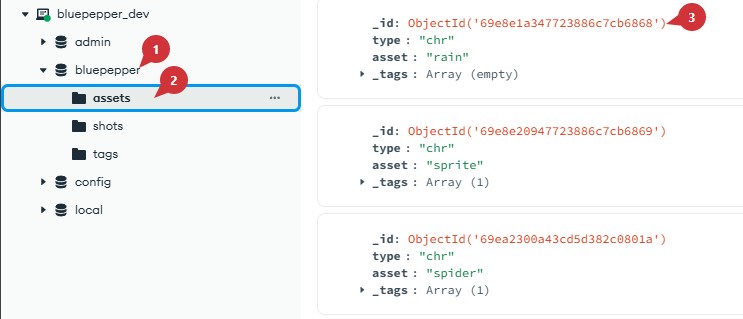
Here is the structure of the MongoDB Server:
-
 The server has a
 Databasefor each project.Did you say ''each'' project?
A BluePepper installation is designed to handle a single project. However, you may have multiple BluePepper installations that all connect to the same MongoDB server, but that use different project databases.
-
 The project's database contains a
 Collectionfor each type of object to store.  Each collection contains all the
 Documentsrepresenting assets and shots.
The structure is intentionally simple: there is no complex hierarchy between objects, and documents consist only of dictionaries containing strings. The goal is to provide a simple way of querying documents and resolving naming conventions. More on that in the next section.
Codex
The Python package Lucent is used to declare all the naming conventions for your project (i.e., how files should be named, where they should be stored, and which characters are allowed or forbidden).
Lucent holds everything together within a Codex, which contains Conventions (string templates made up of fields) and Rules (that define how fields should behave).
BluePepper makes extensive use of the Codex to ensure naming conventions, file discovery, and generating strings/paths.
If this is not clear, you can read this example
Let's illustrate the use of the Codex with an example that uses a Convention and an asset Document from the demo project:
bluepepper_project/assetWorkspace/{type}/{asset}/mdl/blender/{asset}_mdl_v{version}_{description}.blend
As you can see, the Convention needs the fields type and asset that can be filled by providing the following Document from the Database:
Here is the result for now:
bluepepper_project/assetWorkspace/chr/elderSprite/mdl/blender/elderSprite_mdl_v{version}_{description}.blend
The version and description fields are still missing. Hopefully, you see where this is going:
- We can look for files with any
versionanddescriptionvalues - We can fill in
versionanddescriptionas extra data to compose a fully-fledged path.
Info
For more information, refer to the Lucent documentation
Browser
Thanks to the previous sections, you should now understand how BluePepper's Browser operates under the hood: it uses the Database in conjunction with the Codex to look for documents and files.
-
When you select a
Documentand a file type, you are effectively creating a file search that resolves the naming convention using the asset or shot document.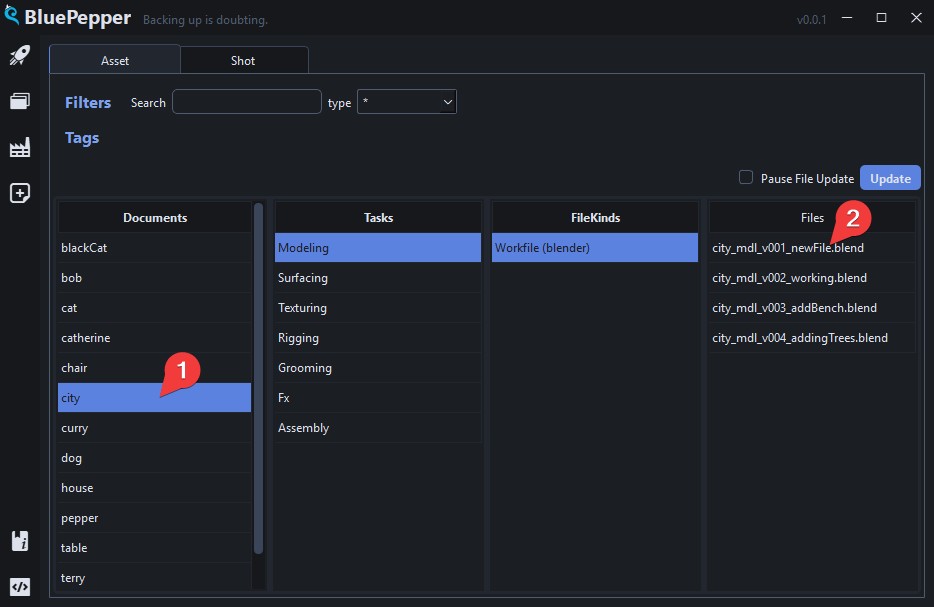
-
The Documents' attributes are used for filtering.
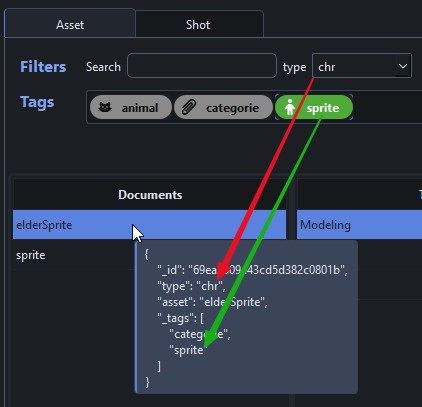
-
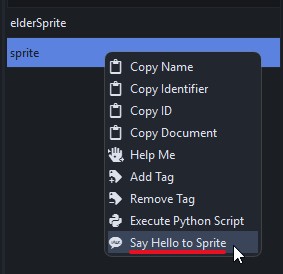
The filtering extends to the contextual menu that appears when you right click on an element (for instance, trigger a specific action only for assets that have the
spritetag)