Deploying BluePepper
BluePepper simply uses git to handle the version of the codebase that gets deployed across your team. As a result, downloading BluePepper is basically a git clone command, and updating it is basically a git fetch / git checkout.
This section explains how to set up git for this purpose.
Setting Up A Personal Access Token
To ensure users can clone and update the repository without being able to push code and without having to create a git account, a Personal Access Token (PAT) has to be created.
-
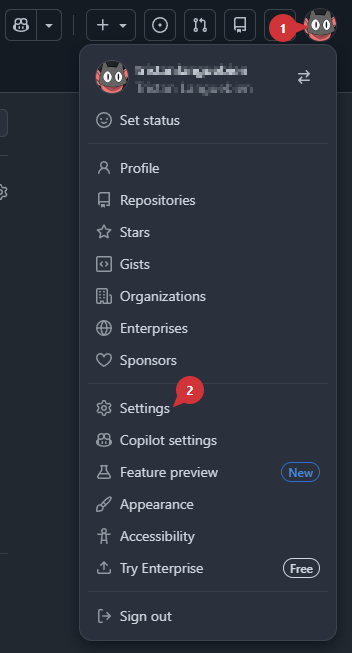
On github, go to your user settings
-
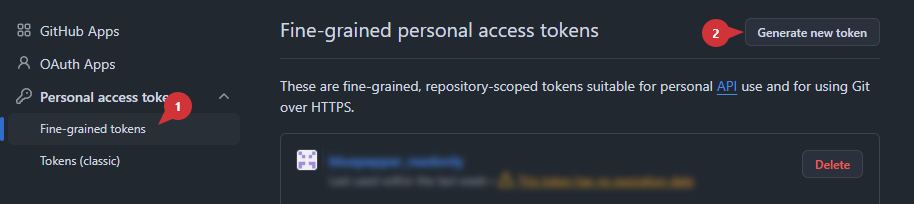
At the very bottom, go to Developer Settings -> Personal access tokens -> Fine-grained tokens (you may have to verify your request with 2FA)
-
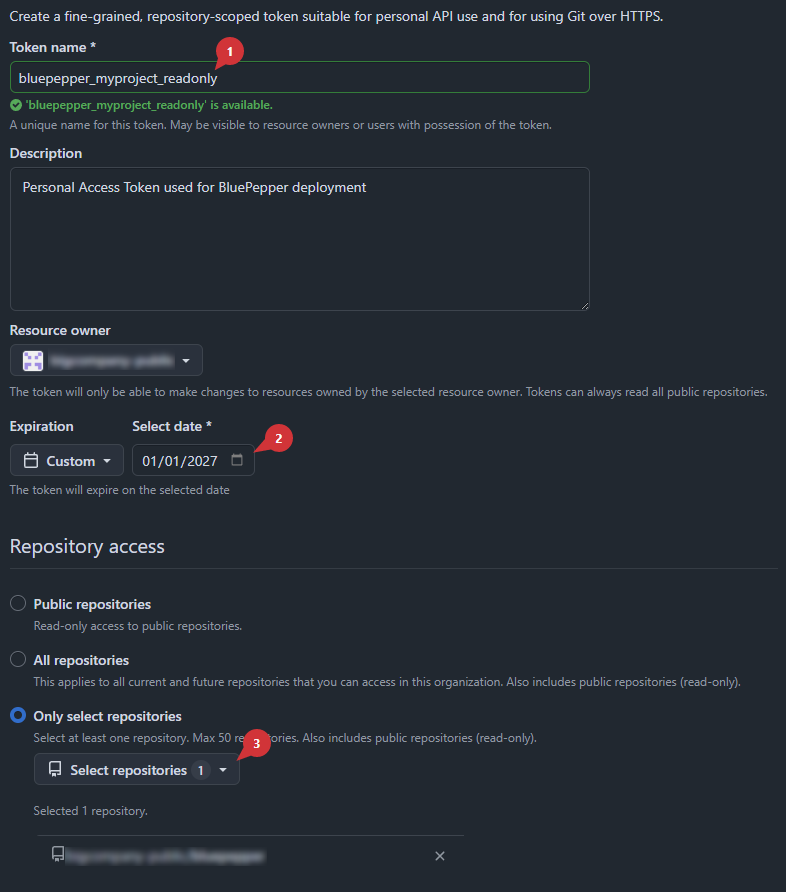
Setup your token. Most importantly:
 Set its name
 Set an expiration date
 Restrict the scope to a single repository
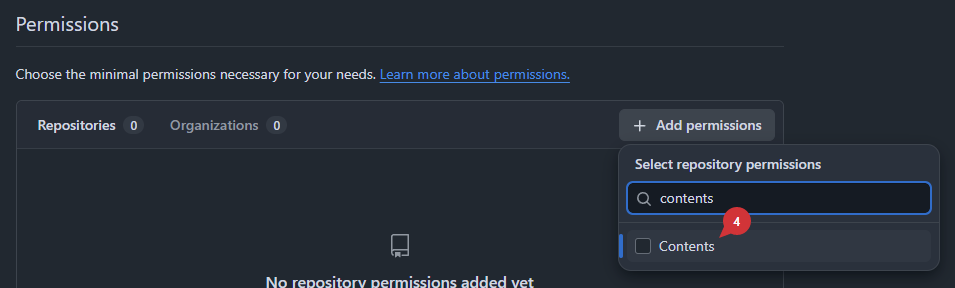
 In
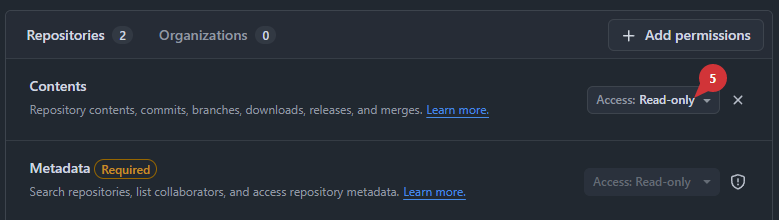
In Permissions, addContents Ensure the Content's access is set to
 Read-only- Press
Generate token
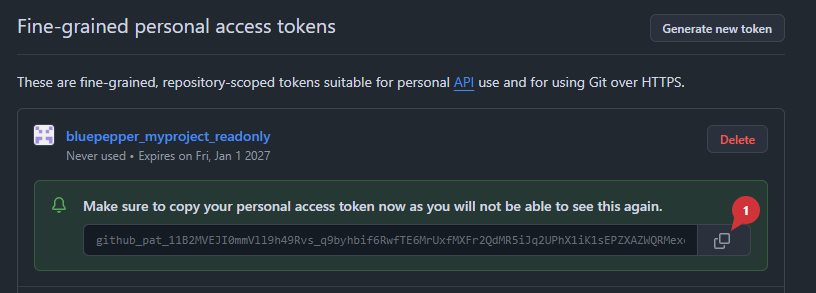
Save your token somewhere safe, as you won't be able to access it later
Download and Install Script
The script conf/deploy_enduser.bat  is designed to provide a simple and efficient way to deploy BluePepper to your team. One just needs to provide the URL to the git repository and the Personal Access Token. You have two ways of doing that:
-
Edit the
conf/deploy_enduser.bat to set the environment variables BLUEPEPPER_GIT_URLandBLUEPEPPER_GIT_PAT -
Edit the
conf/deploy_enduser.bat and remove the lines SET BLUEPEPPER_GIT_URL=andSET BLUEPEPPER_GIT_PATH=- Since the required values are not written in the file, you will have to set the environment variables yourself on the user's computer
- As the Personal Access Token only has read-only permissions, this shouldn't be too much of a security issue, but you may prefer this option if confidentiality is important for you.
When your script is ready, you can give it to your team and simply double click on it. BluePepper will be downloaded and installed next to the script.
Updating BluePepper
When BluePepper is launched, the update happens during the splash screen. The update consists of a git fetch and git pull to get all changes made to the repository, and a git checkout to set the repository in a specific state.
By default, the update checks out the main branch, but you can specify the branch, the commit, or the tag to check out in the conf/deployment.json file.
About Dev Mode
If BluePepper was installed using the install_dev.bat script, the callback that updates the code and the packages will not be triggered.