Getting Help
HelpMe Tool
BluePepper has a dedicated tool to facilitate opening tickets called HelpMe.
HelpMe can be opened in several ways:
-
From the browser:
-
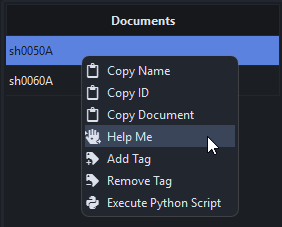
Right click on a document -> Help Me
-
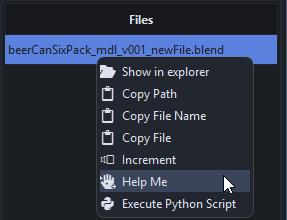
Right click on a file -> Help Me
-
-
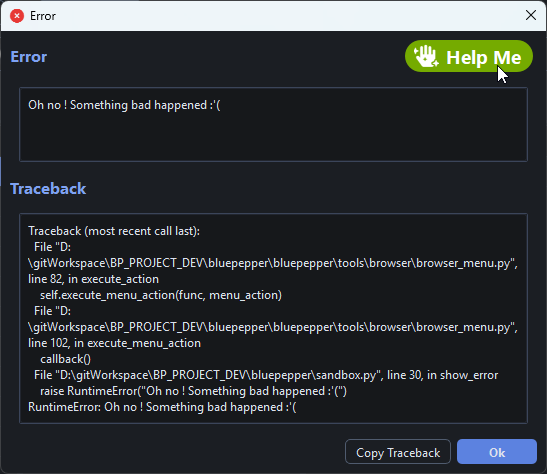
From an error popup:
-
Wherever the
HelpMebutton appearsHelpMecan be inserted into other tools. If you see it, you can ask for help.
Opening A Ticket
When you open HelpMe, the tool pre-fills the ticket with useful information based on the context (the selected document/file, the error encountered, etc.).
You can then add a description of your issue and attach screenshots.
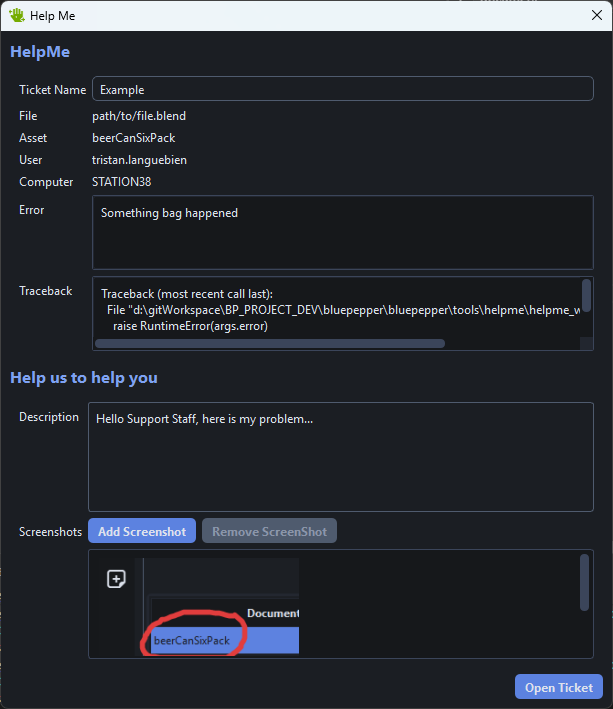
When you click Open Ticket, BluePepper copies the ticket to your clipboard so you can paste it wherever you like (email, Discord, ticketing provider, etc.).
Tip
This method of handling tickets is a placeholder, but your dev/IT department may connect it to their preferred ticketing solution.