Browser
The Browser allows you to browse files related to assets and shots. To look for files:
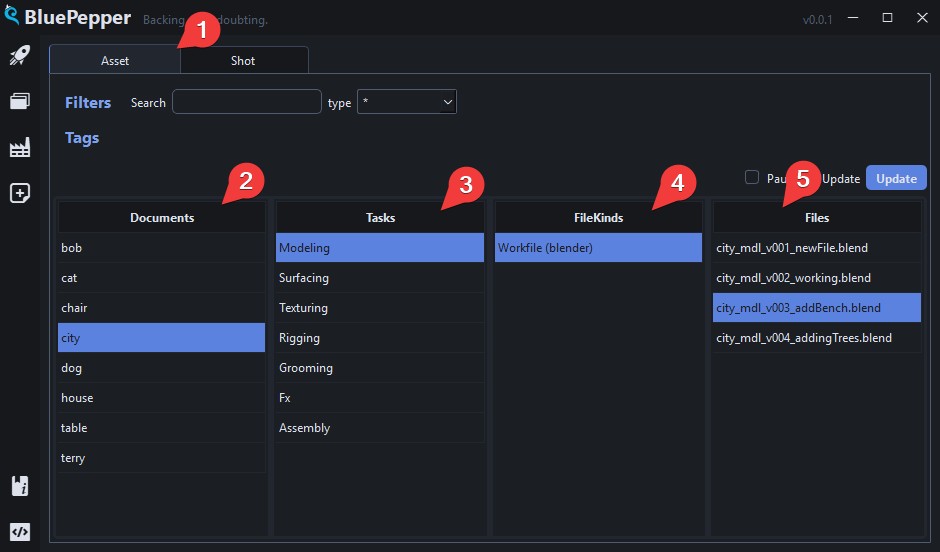
- Select the entity type

- Select your asset/shot

- File Kinds
 are grouped under tasks
-
Selecting an asset/shot document and a File Kind triggers a file search: all files matching the naming convention appear on the right-hand side
 .
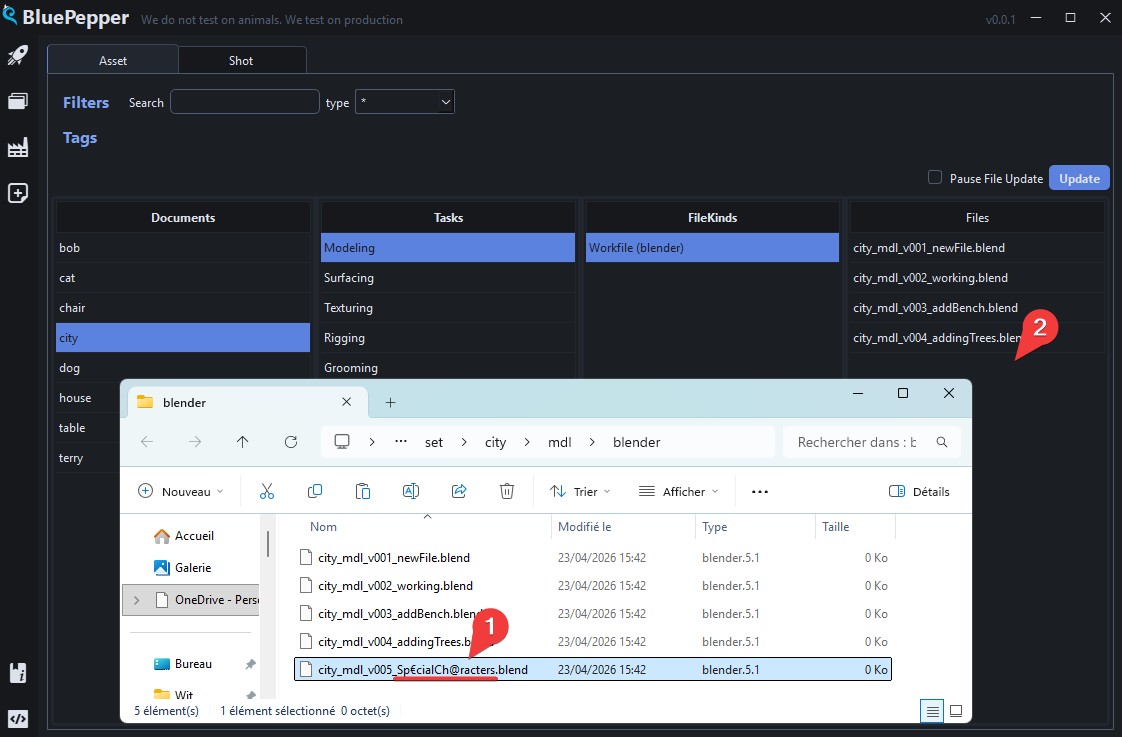
.Warning
This also means that files that do not strictly match the naming convention will not appear.
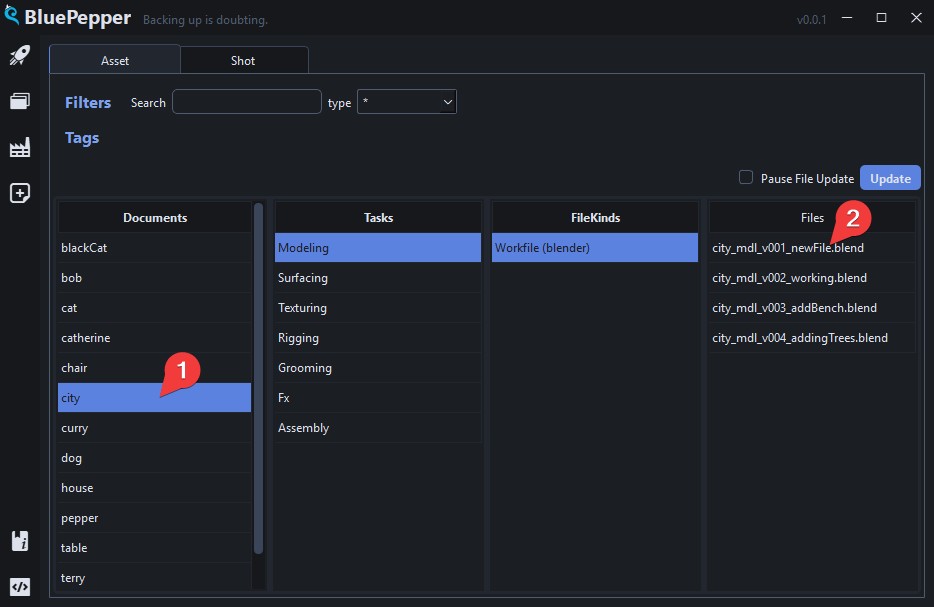
Selection
Searching for files with a single document selected will reveal all the files for that specific document.
If multiple documents are selected, the Browser will show the last file found for each document.
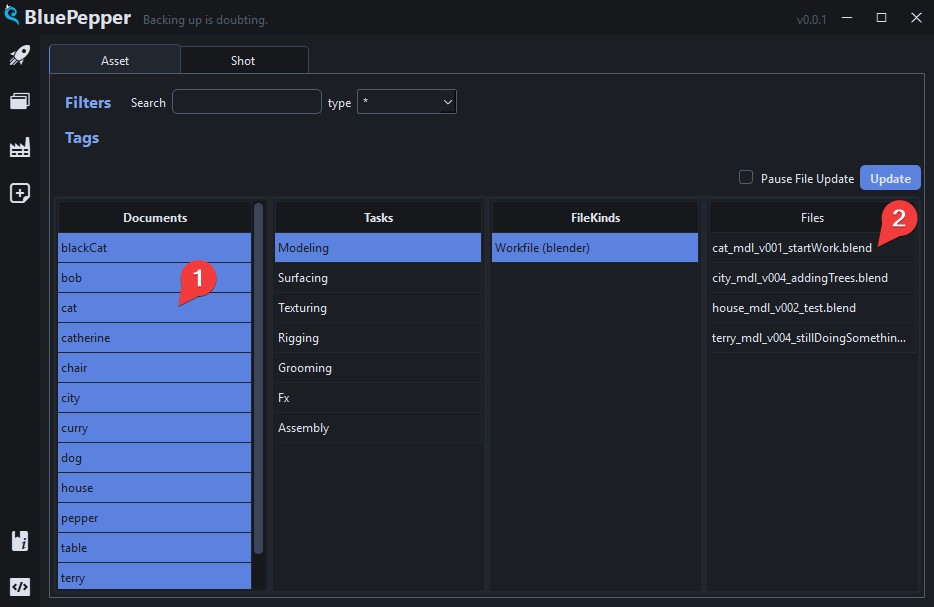
Selecting Multiple Documents
The Documents and Files columns have an extended selection mode; the following shortcuts are available:
Ctrl+click-> additive selectionShift+click-> contiguous selectionCtrl+A-> Select allShift+up/down arrow-> Extend selection up/downCtrl+Space-> Unselect last selected item
Filters
The Browser includes several filtering options to help you find documents.
Name Filter
The name filter looks for document names that contain the search string and is case-insensitive. For instance:
CATwill returncatherineandblackCat-
erwill returnterryandpepper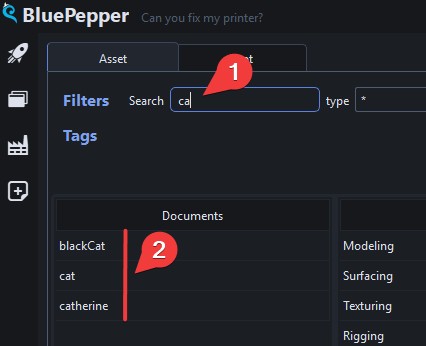
Tip
Multiple search strings can be used at once, using the ; separator:
CAT;rywill returncatherine,blackCat,terryandcurry
Field Filter
Field filters let you filter documents by attributes other than their name. The filters are ordered from the less specific to the more specific, which helps you narrow your query.
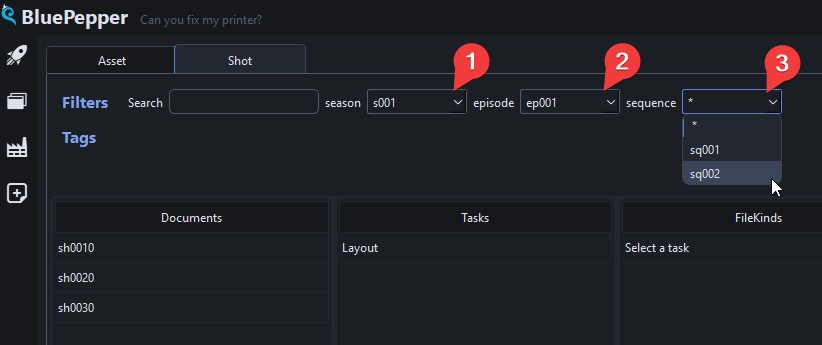
Tag Filter
Tags are a more "freeform" way of sorting documents, as opposed to fields which are mandatory attributes of documents.
Click one or more tags to reveal documents that have any of the selected tags.
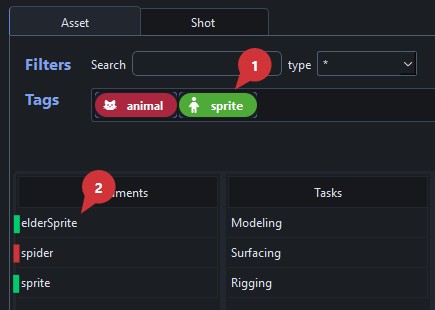
Selecting Multiple Tags
The Tag filter has an extended selection mode; the following shortcuts are available:
Ctrl+click-> additive selectionShift+click-> contiguous selectionCtrl+A-> Select allShift+left/right arrow-> Extend selection up/downCtrl+Space-> Unselect last selected item
Actions
Various actions can be performed on elements in the Browser. BluePepper includes a few handy actions out of the box. Feel free to try them.
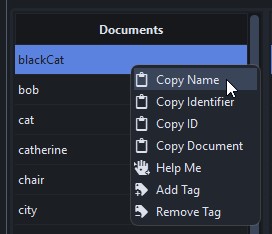
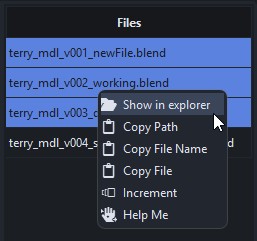
When clicked, actions will run for all selected documents.
Please note that some actions (mainly the time-consuming ones) will start a Batcher job. For more information, see the Batcher Documentation
Tags
Who should manage tags?
In a team project, it's recommended that supervisors manage tags: some tags are used only for filtering, while others may be used to configure actions and tools.
Creating and Adding Tags to Documents
Tags can be added to asset or shot documents by right-clicking the document and selecting Add Tag.
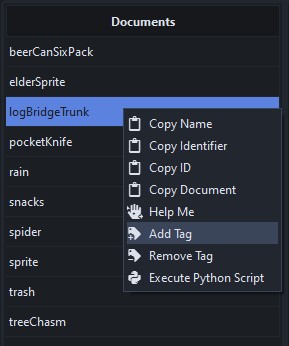
You may use existing tags or create a new one if needed.
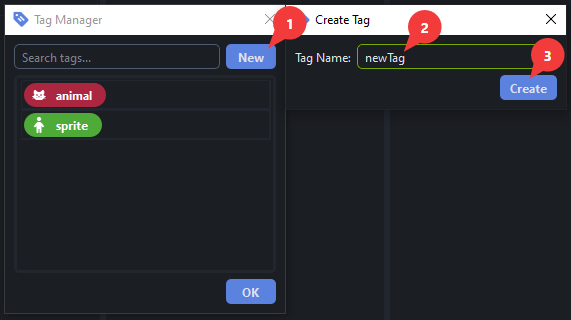
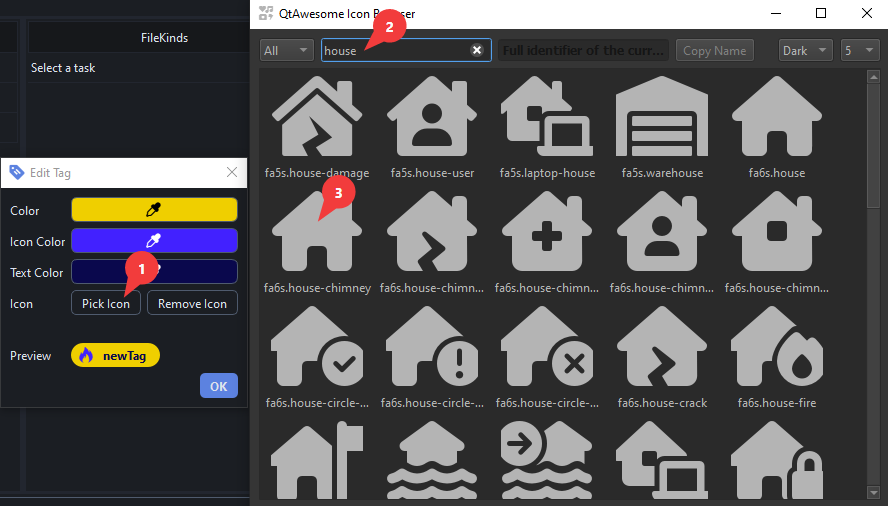
The appearance of a tag is fully customizable.
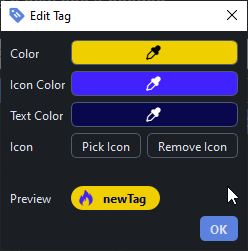
The Pick Icon button opens an Icon Browser window where you can use the search bar and double-click the icon to confirm your choice.
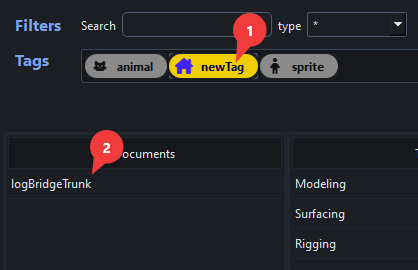
When done, press OK to apply the tag and you will be able to filter documents using the newly created tag.
Removing a Tag From a Document
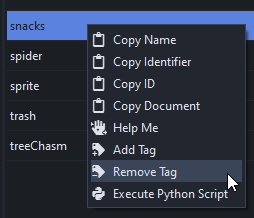
Tags can be removed from a document by right-clicking the document and selecting Remove Tag.
Editing and Deleting Tags
Tags can be edited or deleted by right-clicking them.
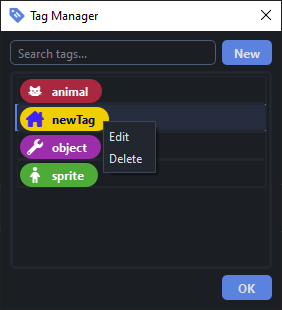
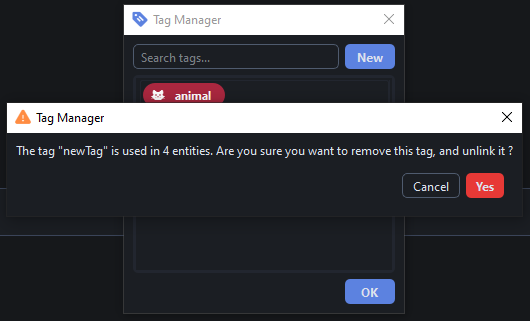
When deleting a tag, you will be prompted if the tag is applied to one or more documents.
Multiple Documents, Multiple Tags
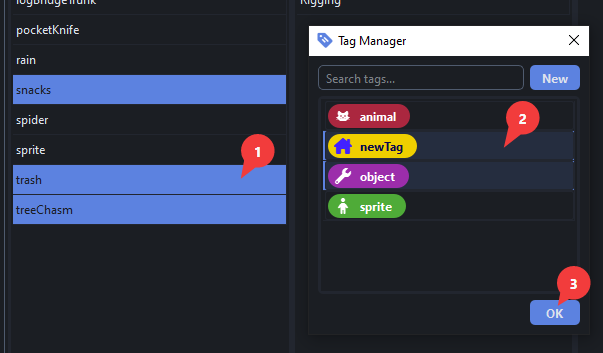
Both documents and tags support extended selection mode: you may apply multiple tags to multiple documents in one go.
Tag Managers
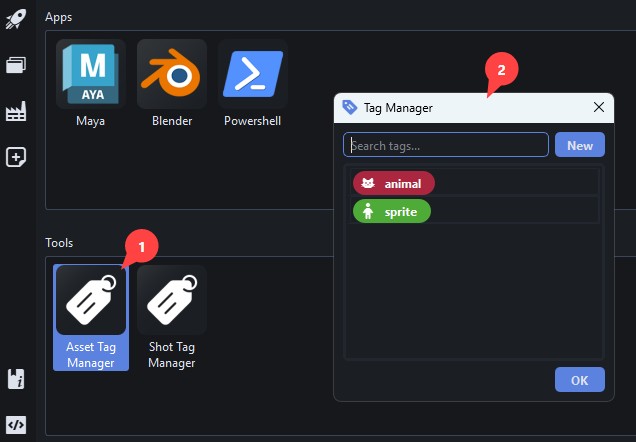
The tag manager can also be accessed from the Launcher.
Tips And Tricks
Prefilled Naming Conventions
Need to create a file but unsure about its naming convention?
The built-in Copy Path and Copy File Name actions send prefilled names that respect the naming convention to your clipboard.
For instance, if you do this:
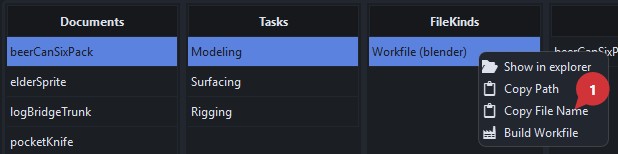
pressing Ctrl + v will paste this: beerCanSixPack_mdl_v{version}_{description}.blend
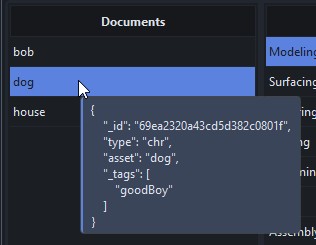
Reading a Document's Content
You can hover over documents to display the full document.
Advanced Document Search
If you feel like a power user, the search bar also handles mongoDB queries 
{"asset": "sprite"}will return documents where theassetkey is exactly "sprite"{"asset" : {"$ne" : "spider"}}will return all documents in which theassetkey is not "spider".